DVD Studio Pro® Project Proofing Service
AVOID Becoming A Statistic...
Be Sure to Have Trai Look Over Your Files Before Replication
Trai Forrester is
the World's Acknowledged
Leading Authority on
DVD Studio Pro®

Trai got his start with DVD Studio Pro
in the spring of 1999 when the program
was known as Astarte DVDirector.
Trai became the world's leading Astarte
Dealer/Distributor by fall of 1999,
traveling throughout the country, installing
and training on the new system, helping bring in
scores of early adopting studios into DVD Production.
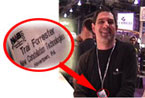
Apple hires Trai Forrester as a
private consultant in
April, 2001, to help introduce
DVD Studio Pro 1.0, at NAB.
Photo credit: Lou Skriba
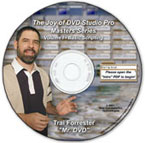
Trai introduces the first (and still only)
comprehensive DVD Studio Pro
Scripting Tutorials disc in July, 2001.
"Trai's scripting disc taught me
how to 'think DVD' - Marc McCoy

Trai Founded TFDVD.com
a DVD Studio Pro support site,
in 2001.
"I'm beginning to understand.
All DVD Studio Pro roads lead to Trai" - A Poster on 2-Pop, Spring, 2002
Unsolicited comments
from TFDVD.com members,
during 2002/2003
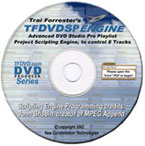
Trai collaborates with John Brisbin Releasing the "TFDVDSP Engine",the first and still only, professional DVD Studio Pro Advanced Play List Project Templates - early 2002
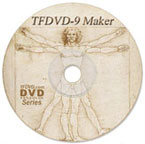
Trai released the "TFDVD-9 Maker" the workaround to DVD SP's DVD-9 formatting bug - summer 2002'. For almost 2 years afterwards, it's the only way to guarantee a spec compliant DVD-9 in DVD Studio Pro®.

Trai led the development of DVDAfterEdit, beginning in Fall, 2002. The program was originally designed to extend DVD Studio Pro's capabilities.
. |